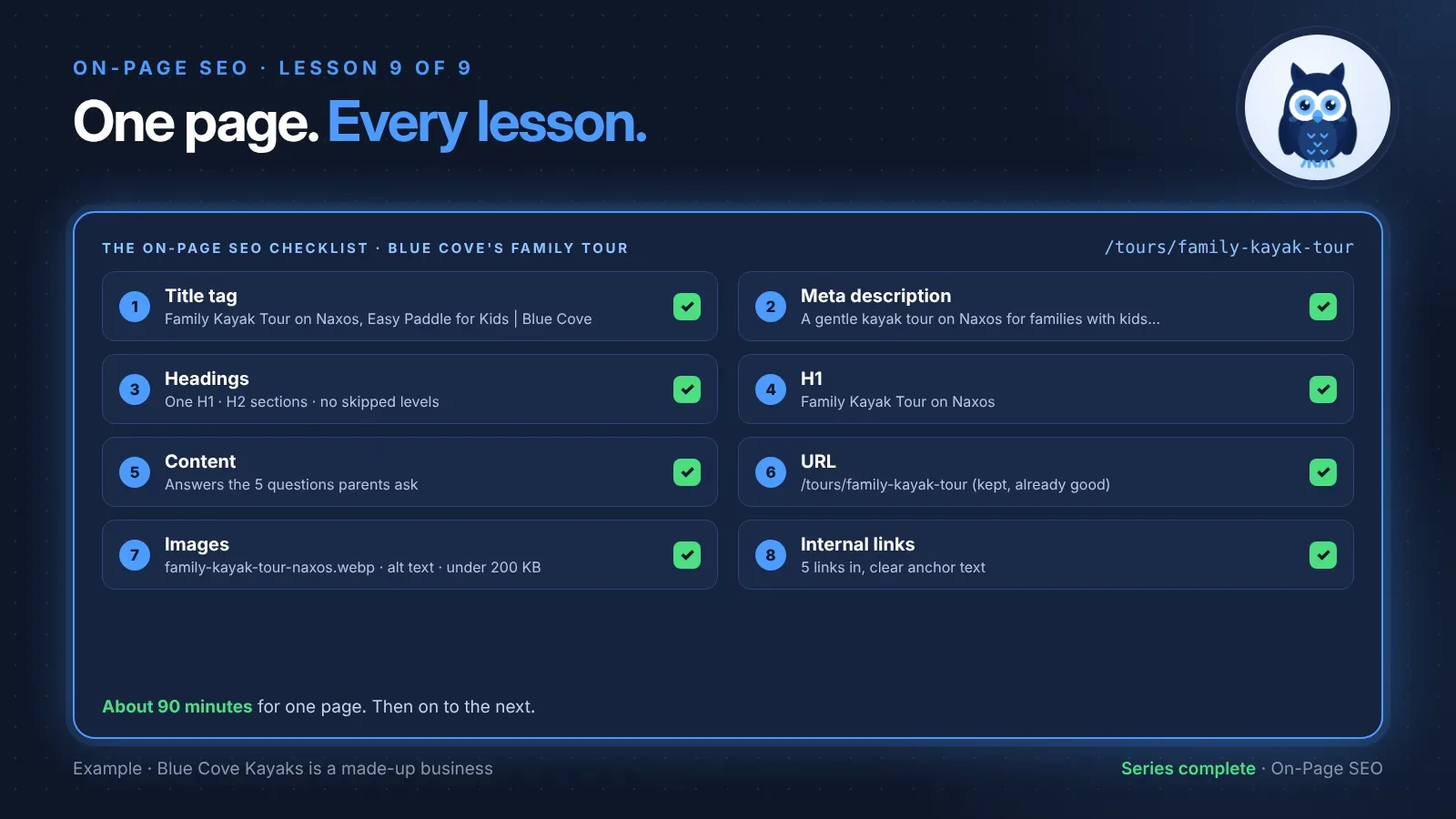
You've learned each part of a page on its own: the title, the description, the headings, the words, the address, the images and the links. Now it's time to put them together. This lesson is an on-page SEO checklist you can run on any page, from start to finish, in one sitting. We'll do it together on one of Blue Cove's pages, then you'll do it on one of yours.
No code needed. You'll need about 90 minutes and one important page.
New here? This is the last lesson of the On-Page SEO series. Each step links to the full lesson, so you can start right here and dip into any lesson you need.
🦉 Remember from last lesson?
Blue Cove's private tour page was in the XML sitemap, but no other page linked to it. What was it?
- A) A normal page, because the sitemap counts as a link
- B) An orphan page
Show the answerHide the answer
B) An orphan page. A sitemap helps Google find pages, but only links on your own pages give people, and Google, a way in. Links are the last step of today's checklist.
Meet Blue Cove Kayaks
In this series we've followed Blue Cove Kayaks (bluecove-kayaks.example), a family-run sea-kayaking tour company on Naxos. Blue Cove is made up. Its problems are real ones most small sites run into, but its story is an example, not real results.
Most of the series used the sunset tour, Blue Cove's best-known page. For the final lesson, they picked a page that needed help everywhere: the family tour, at /tours/family-kayak-tour. Families with kids were a group Blue Cove had been missing, and this page was meant to win them over. Here's how they took it through every lesson, one step at a time.
Before you start: pick the page and its keyword
Choose one page that matters to your business. Then write down its main keyword, the phrase you want it to be found for. If you made a keyword map in SEO for Beginners, it's already there.
Blue Cove's choice:
- Page: the family tour,
/tours/family-kayak-tour - Main keyword: family kayak tour naxos
- Who it's for: parents planning a holiday activity with their kids
Work through the steps in order. Each one builds on the one before.
Step 1: The title tag
- ☐ Topic first, in the words people search for
- ☐ One clear, true angle
- ☐ Brand last, if it fits
- ☐ Important words within about 50 to 60 characters
- ☐ No other page on the site has this title
Full lesson: how to write title tags that get clicked
Step 2: The meta description
The old one was the homepage description, copied onto every page.
- ☐ Says what the page gives, and who it's for
- ☐ Gives one concrete reason to click
- ☐ Important part within about 150 characters
- ☐ Unique on the site, and true
Full lesson: write meta descriptions people want to click
Step 3: The heading structure
Before:
H1  Family Tour
  H2  What the tour includes
        H4  Life jackets for kids
  H2  Book now!
After:
H1  Family Kayak Tour on Naxos
  H2  What the tour includes
    H3  Life jackets for kids
  H2  Who can join?
  H2  What to bring
  H2  Where we meet
  H2  Prices and booking
  H2  Questions parents ask
- ☐ One H1 for the page's topic
- ☐ An H2 for each main section, H3s only inside an H2
- ☐ No skipped levels, no empty headings, nothing chosen for its size
- ☐ Read alone, the headings work as a table of contents
Full lesson: a heading structure checklist
Step 4: The H1
- ☐ Passes the only-line test: on its own, it says what the page is
- ☐ Passes the search test: it uses words people type
- ☐ Passes the promise test: the page delivers it
- ☐ Shares the main words with the title tag
Full lesson: H1 heading examples for every kind of page
🦉 Spot the mistake
Halfway through, Blue Cove's title tag says "Family Kayak Tour on Naxos, Easy Paddle for Kids", but the H1 still says "Sea Adventures for Everyone". What's the problem?
- A) The H1 is too short
- B) The title and H1 point in different directions, so the page sends mixed messages, and Google may rewrite the title
- C) Nothing, they're allowed to be different
Show the answerHide the answer
B) The title and H1 can be worded differently, but they should be about the same thing. "Sea Adventures for Everyone" could be any tour, for anyone. Change the H1 to match the page's topic.
Step 5: The content
Blue Cove listed the questions parents actually asked by email and phone, and made sure the page answered every one, in normal text on the page, not inside the booking widget:
- How old do kids need to be? (6 and up, in a double kayak with a parent)
- Is it safe? (calm bays only, life jackets in kids' sizes, a guide with every group)
- How long is it, and do we stop? (about two hours, with a swim stop)
- What should we bring?
- Where do we meet, and can we park?
The main keyword appears in the H1 and the first paragraph, once each, naturally.
- ☐ The main text is real text, findable in the page source or Search Console's View crawled page
- ☐ The page answers the 5 questions customers ask most
- ☐ The main keyword appears naturally in the H1 and first paragraph, never stuffed
- ☐ Important details (prices, times, places) aren't only in images or widgets
- ☐ At least one first-hand detail only you could share
Full lesson: how to optimize page content for SEO
Step 6: The URL
Blue Cove's address was already good: /tours/family-kayak-tour. So they didn't change it. That's a step too.
- ☐ Short, readable, lowercase, with hyphens
- ☐ If it's already good, leave it alone
- ☐ If it must change: a 301 redirect to the new address, updated internal links and sitemap, and no redirect chains
Full lesson: SEO-friendly URLs, and what to do when one changes
Step 7: The images
The page's main photo was IMG_2207.JPG, 4 MB and with no alt text. After resizing, compressing and renaming:
File name:
family-kayak-tour-naxos.webpSize: under 200 KB, 1600 pixels wide
Alt text: "A dad and two children laughing in a double kayak on a calm bay"
☐ Every meaningful image has alt text that describes it
☐ Decorative images have empty alt text
☐ Clear file names, chosen before uploading
☐ Photos resized and compressed, ideally well under 300 KB each
☐ The main image at the top isn't lazy-loaded
Full lesson: image SEO: alt text, file names and size
Step 8: The internal links
| From | To | Anchor text |
|---|---|---|
| Tours page | Family tour | Family kayak tour |
| Homepage | Family tour | a gentle tour made for families |
| Safety blog post | Family tour | our family kayak tour |
| Sunset tour | Family tour | try our family tour |
| Family tour | Sunset tour | the sunset tour (ages 12 and up) |
- ☐ At least three relevant pages link to this page, not counting the menu
- ☐ The page links out to related pages where it helps
- ☐ Every anchor text says where the link goes. No "click here"
- ☐ The page isn't an orphan
Full lesson: an internal linking plan you can reuse
🦉 Quick check
Why does the checklist start with the title and end with links?
- A) It's alphabetical
- B) Each step builds on the one before. The title and H1 decide the page's topic, the content backs it up, and links come last because they point to a page that's now ready
- C) Links aren't important
Show the answerHide the answer
B) Once the page is clear about its topic and answers its visitors' questions, it's worth sending people there. That's when links help most.
How long did it take?
About 90 minutes for one page, most of it on the content and the photos. The next page went faster, because Blue Cove already knew the steps.
Don't expect Google to change overnight. Google needs to visit the page again before it sees your changes. Write down the date you finished each page, so you can compare its clicks a few weeks later in Search Console.
Scout's mistake: "I tried to run this whole checklist on all 40 pages of my site in one weekend. By Sunday night I'd half-fixed 40 pages and fully fixed none." One page at a time, finished properly, beats forty pages half done. Start with the page that matters most.
What to do next
- Repeat it on your next most important page. Then the next.
- Check it again whenever you change the page, add photos or publish something new that should link to it.
- Ready to check a whole site? On-page SEO looks at one page at a time. The SEO Audit Playbook shows you how to check every page, find problems across the whole site, and decide what to fix first.
🦉 What would you do?
Blue Cove finished the family tour page. They have time for one more page this week. Which should they choose?
- A) The "Terms and conditions" page
- B) The private tour page, which brings bookings but has been ignored until now
- C) A 2019 blog post nobody visits
Show the answerHide the answer
B) Work on the pages that matter most to your business first. The private tour page brings bookings and has only just stopped being an orphan, so it's the next best place to spend 90 minutes.
Quick recap
- The on-page SEO checklist runs in this order: title, description, headings, H1, content, URL, images, links.
- Pick one page and one main keyword before you start.
- Each step takes minutes. The content and images usually take longest.
- Don't change a good URL just because you're working on the page.
- Finish one page properly, write down the date, then move to the next.
Your task (about 90 minutes): Run the whole checklist on your most important page, and write down today's date next to it.
Lesson 9 of 9 done 🎉 You've finished the On-Page SEO series!
The guide for the On-Page SEO series: the full checklist, free by email.
Where next? You can now optimize any page on your site. The next step is checking the whole site at once. Start with lesson 1 of the SEO Audit Playbook: how to do an SEO audit, where Blue Cove, a year later, finds out what's holding its growing website back.
Want a quick check of one page right now? Run the free SEO audit.
Sources and further reading
- SEO Starter Guide (Google Search Central)
- Influencing title links in Google Search (Google Search Central)
- Control your snippets in search results (Google Search Central)
- Creating helpful, reliable, people-first content (Google Search Central)
- Google image SEO best practices (Google Search Central)
- Link best practices for Google (Google Search Central)